

Let’s be honest—keywording is the most tedious, time-consuming part of managing digital images. You’d rather be creating, but you’re stuck guessing which tags and titles will get your work noticed.
What if you could upload an entire photoshoot and have perfectly optimized, unique metadata for every single image in just minutes?
🚀 Enter the AI Image Analyzer
This is not just another keyword tool. It’s a powerful, self-hosted application that runs entirely in your browser, putting Google’s cutting-edge Gemini 2.5 Flash vision model to work for you. It analyzes the content and context of your images to generate metadata that actually drives traffic.
✨ Key Features That Will Change Your Workflow:
- 🧠 Smart AI Analysis: Utilizes Google’s Gemini 2.5 Flash model for incredibly accurate and creative content generation.
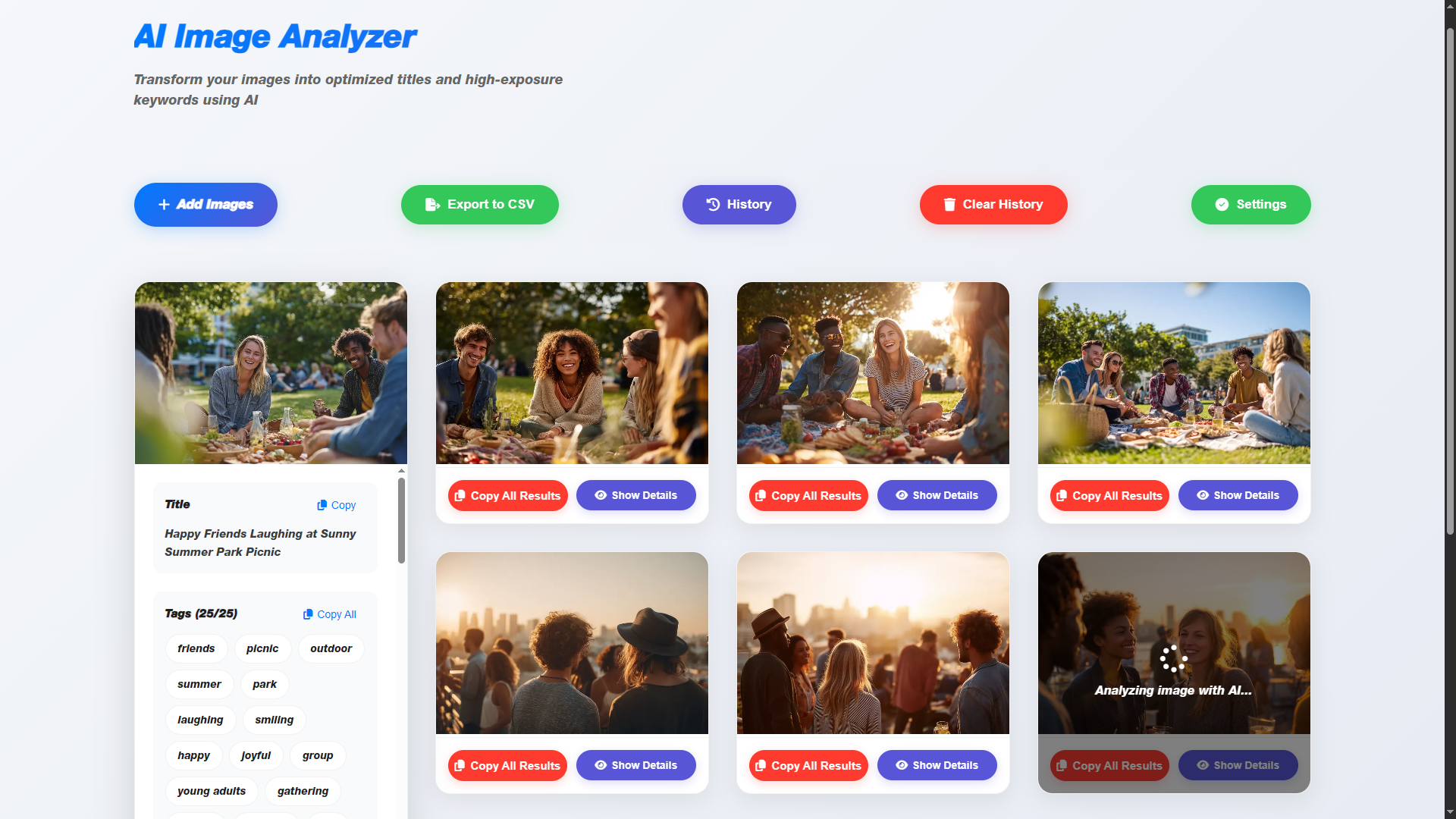
- ✍️ Complete Content Generation: For every image, you get a full suite of optimized content:
- A creative title with popular keywords.
- Exactly 25 categorization tags.
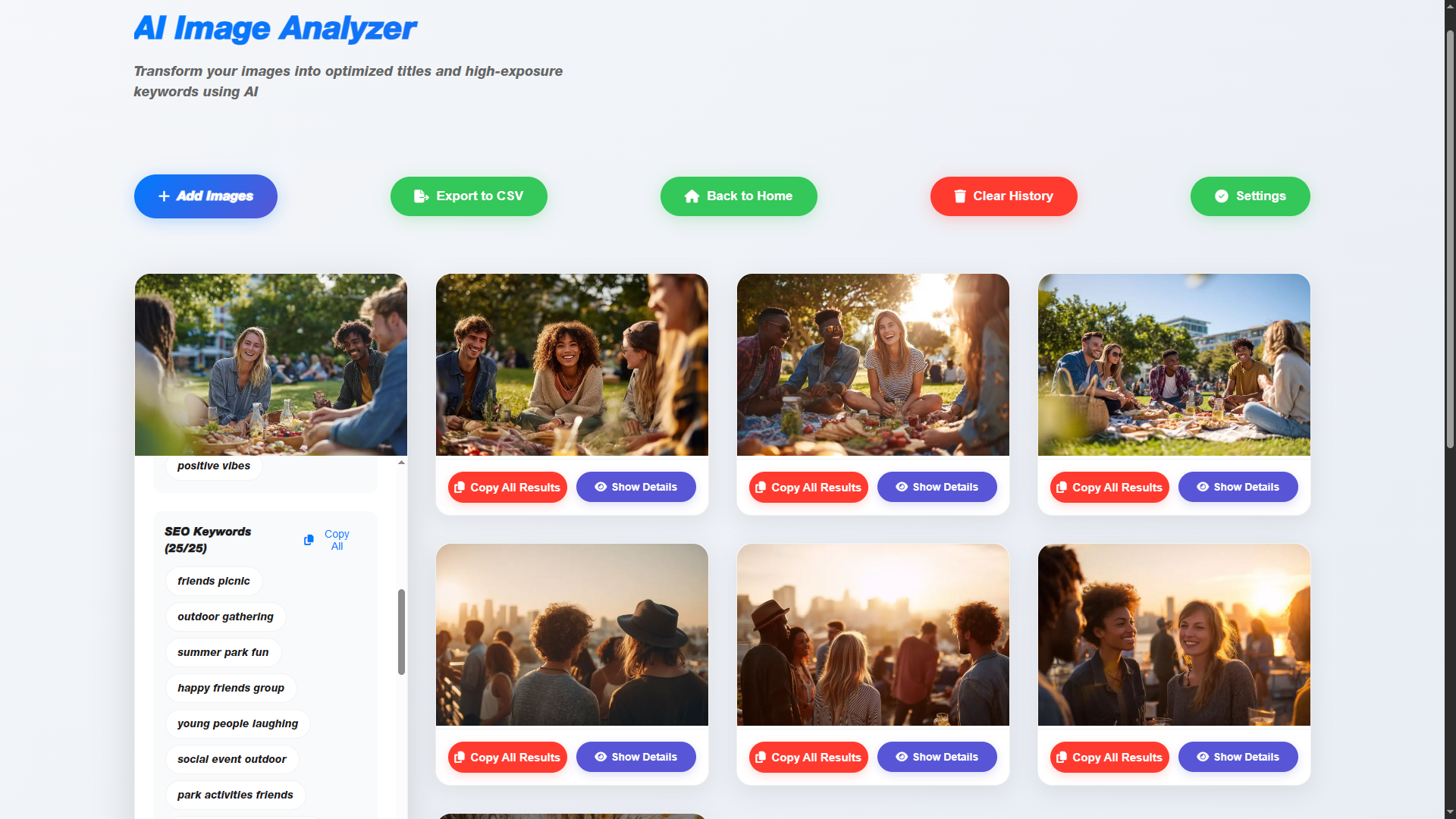
- Exactly 25 high-traffic SEO keywords.
- 🏆 Game-Changing Title Uniqueness System: This is our star feature! Forget seeing filenames ending in
(2)or(3). Our advanced algorithm instructs the AI to ensure every title in a batch is unique. If a similar title is detected, it automatically adds professional, SEO-friendly suffixes like “Premium Collection” or “Artistic Vision”. - 🧱 Full Batch Processing: Upload hundreds of images at once and let the analyzer work its magic. The clean masonry grid keeps your workspace beautifully organized.
- 📄 One-Click Export to CSV: Easily export all your data into a single, clean CSV file, perfectly formatted for stock photo sites, blogs, or digital asset management systems.
- 💰 Intelligent & Cost-Efficient: The smart caching system prevents re-analyzing images, saving you API costs. Plus, images are automatically compressed before analysis to further reduce expenses.
- 📚 History Management: Quickly view and manage all your previously analyzed images anytime.
🛠️ How It Works (It’s This Easy!):
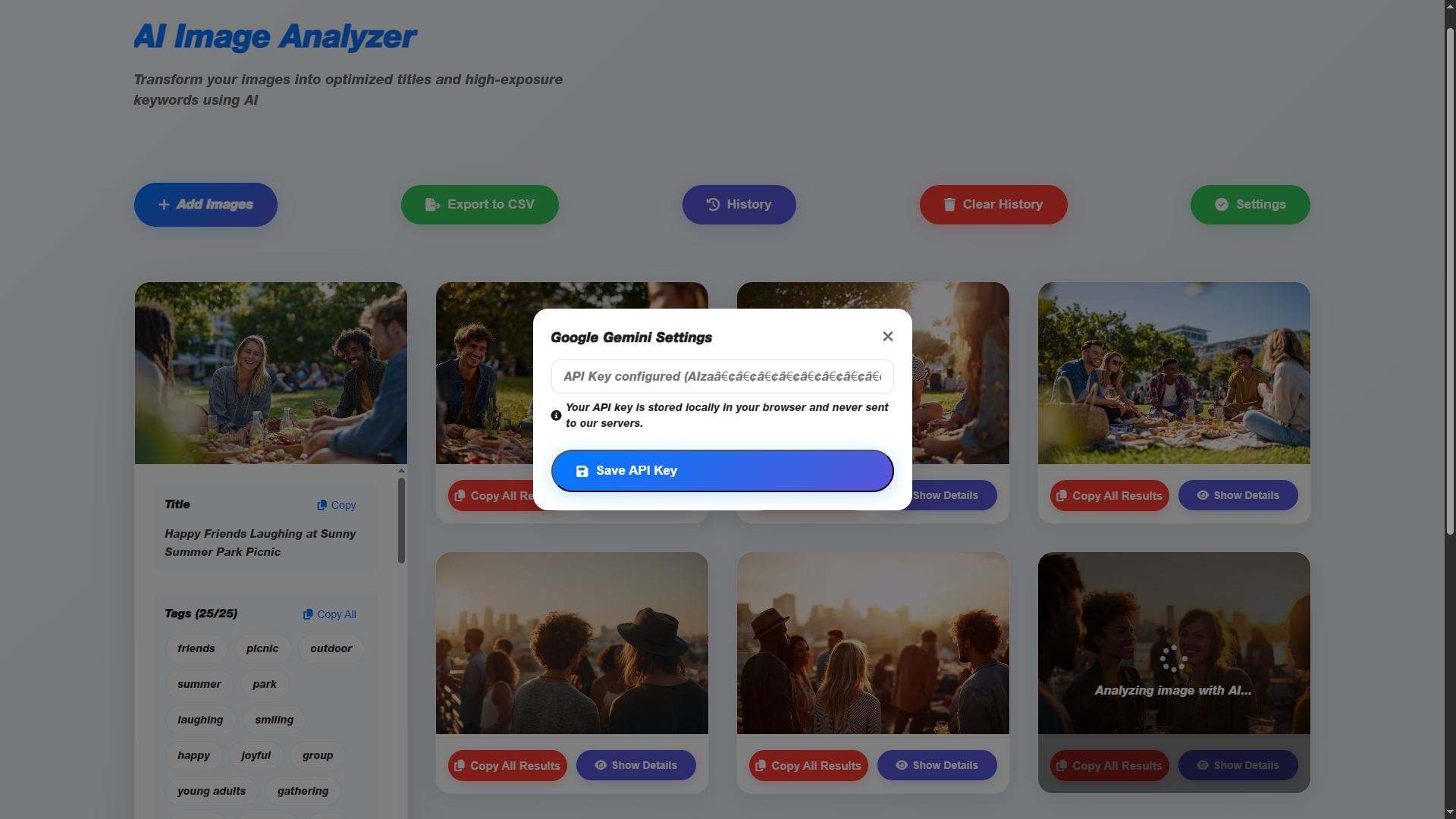
- Configure API Key: Enter your Google API key once in the secure settings modal.
- Add Your Images: Drag and drop or select multiple image files from your computer.
- Get Results & Export: Watch as the tool populates the results in real-time. Copy what you need or click “Export to CSV” to get everything!
🎯 Who Is This For?
- 📸 Stock Photographers who need to process large volumes of images quickly.
- ✍️ Content Creators & Bloggers looking to boost their on-page SEO effortlessly.
- 📢 Marketers managing visual assets for campaigns.
- 💻 Website Developers who need to populate client sites with fully optimized images.
🔒 Your Privacy is Paramount
The AI Image Analyzer runs 100% in your web browser. Your API key is stored locally, and your images are never uploaded to our servers. All communication happens directly between your browser and the Google API, ensuring your work remains private and secure.
Reviews
There are no reviews yet.